How to Reset Program Progress
How to Reset Program Progress
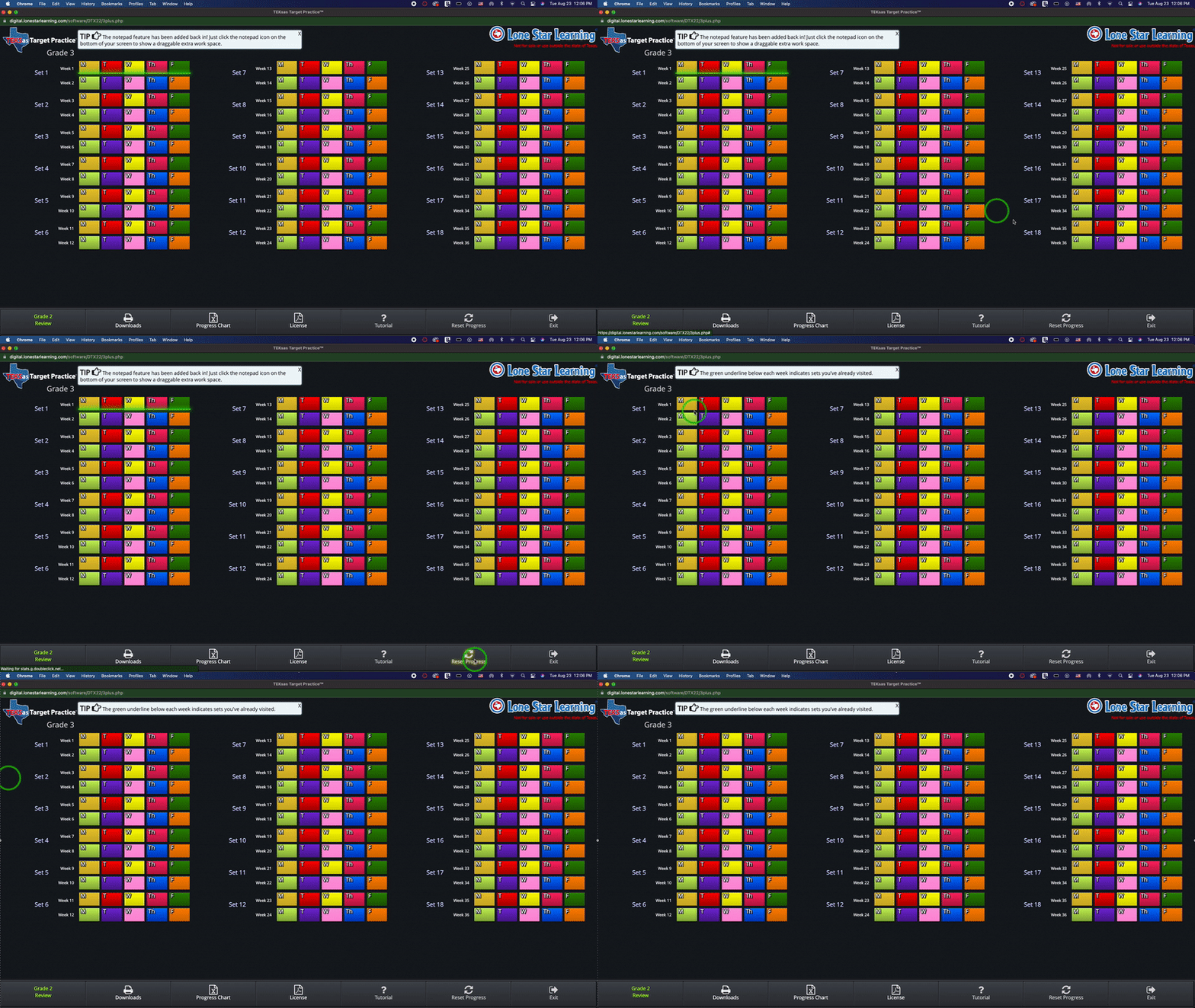
From the home screen, select "Reset Progress" (bottom right)
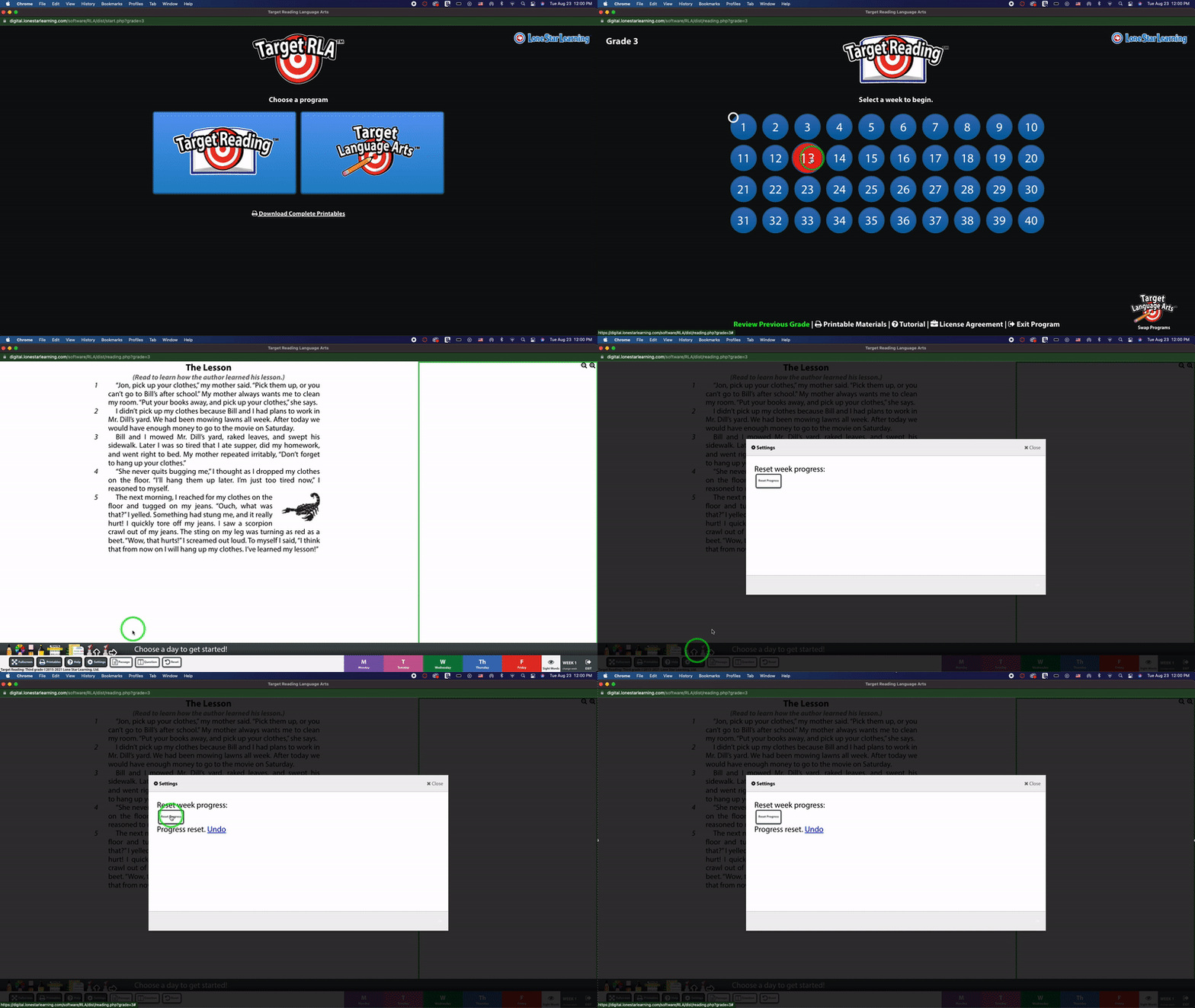
• From the home screen, select any day
• Select "Settings" (Bottom row, 4th button from the left)
• Select "Reset Progress"
• Close
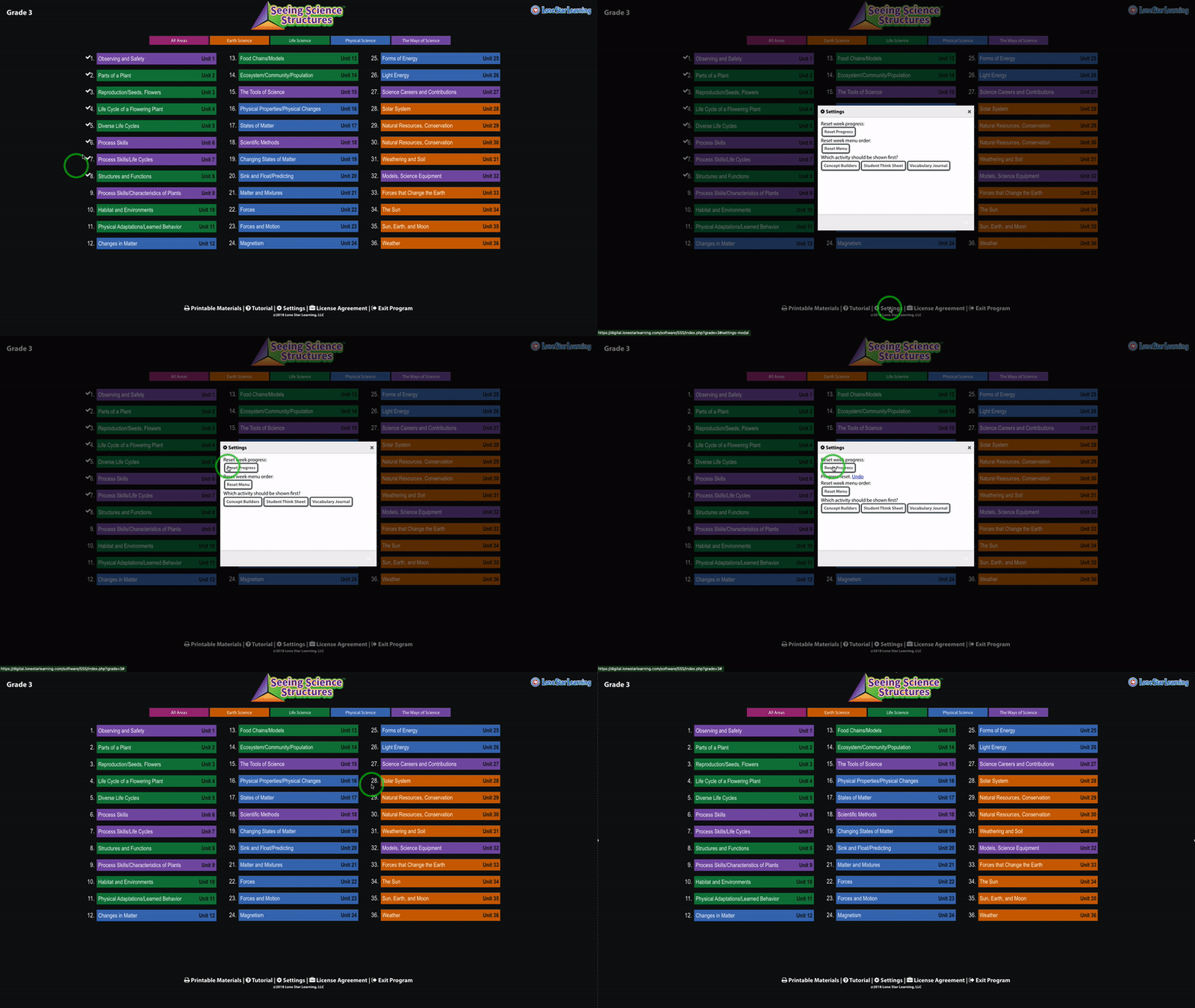
• From the home screen, select "Settings"
• Select "Reset Progress"
© 2026 Lone Star Learning